· 13 min read
Choosing an HGV walkaround app that stands up to DVSA
Compare what matters in an HGV daily walkaround app, from defect reporting and signatures to audit trails, VOR control and operator-licence records.
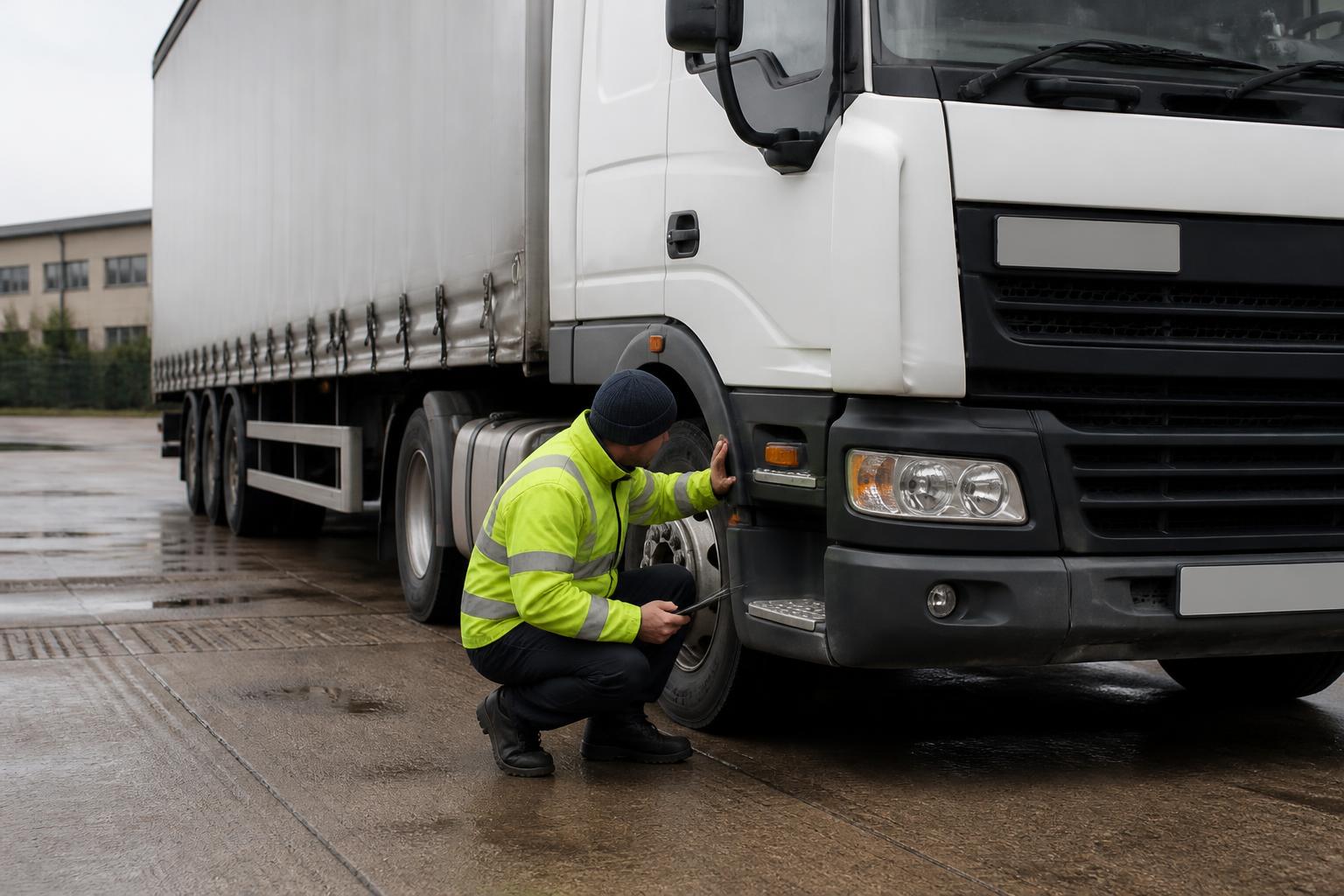
If you are choosing a daily walkaround check app for HGV drivers, the main question is not whether it can replace paper. It is whether the records it produces would help us explain our systems to DVSA, and if necessary to a Traffic Commissioner. A smart-looking checklist is not enough if it leaves gaps around defect detail, timestamps, sign-off, VOR control or proof that repairs were completed before the vehicle went back into service.
For UK operators, the right app should support the practical duties behind the daily check. It should help drivers complete a proper inspection, help transport managers control safety defects, and create records that stand up when someone asks what was found, what decision was made, who made it, and when the vehicle was next used. That is the standard we should compare against.
What a daily walkaround app needs to do in practice
At a minimum, a walkaround app for HGV operations needs to support the daily driver defect reporting process set out in normal UK operator-licence practice. That means it must do more than present a list of tyres, lights and mirrors with a tick box beside each item.
We should expect it to do five core jobs.
First, it must let us build inspection forms that reflect the vehicles and trailers we actually run. A rigid, artic unit, trailer, minibus and PSV do not all need the same sequence or wording. The app should let us separate unit and trailer checks, set mandatory items, and tailor forms for goods vehicles and passenger vehicles where the operating model differs. If we use mixed fleets, one template for everything usually creates either unnecessary steps or missed checks.
Second, it must record who carried out the check and which asset was checked. That sounds obvious, but the detail matters. We need a clear link to the vehicle registration mark, trailer number where relevant, driver identity, date and time, and the depot or location if that is part of our process. If an app allows vague entries or free text that can be mistyped, the record becomes weaker when reviewed later.
Third, it must handle nil defect and defect reports equally well. Many systems are good at recording a clean check but poor when something is actually wrong. In practice, the app should let the driver identify the defect, describe it properly, add photos where useful, and route that report to the right person without delay. The app should not encourage drivers to choose the nearest generic category and move on.
Fourth, it must support a real decision on roadworthiness. A defect report is not the same as a VOR decision. The app should allow an authorised person to review the issue and decide whether the vehicle can be used, restricted, or taken off the road. If that decision sits outside the system in texts, calls or memory, we lose the audit trail.
Fifth, it must retain records in a way we can retrieve quickly. If DVSA asks for evidence during a visit, or if we are preparing papers for a Public Inquiry, we need to find checks by vehicle, trailer, date and driver without digging through phones or inboxes.
This is where many buyers make the wrong comparison. They compare screen layouts and checklist length, but not whether the app helps them run the process described in the DVSA Guide to Maintaining Roadworthiness. That guide is still the practical benchmark for UK operators. A daily walkaround app for HGV drivers should fit around that benchmark, not ask us to lower it to suit the software.
If we also run vans below HGV thresholds, the same system can still be useful, but we should remember the operator-licence framework is different. The compliance risk for a 44 tonne artic and a light van is not identical, even if both benefit from a disciplined daily check process.
How to compare evidence quality, not just tick boxes
The strongest walkaround apps create evidence, not just completed forms. That distinction matters when a record is tested.
Start with signatures. We should look at how the driver signs the check, and what that signature means in the system. Is it tied to a named login, date and time, and the exact checklist content completed at that moment? Or is it just a scribble on a screen that could have been added later? A useful signature record should show who completed the check and lock that submission as part of the audit trail.
Next, look at timestamps. We need more than the day. A proper record should show the submission time, and ideally any later actions such as defect review, VOR decision, repair sign-off and return to service. If a vehicle was stopped at 07:15 and the check was apparently completed at 09:40, we need to know that. A system that cannot show the sequence of events clearly can become awkward very quickly.
Defect detail is another dividing line. If every issue appears as "light defect" or "tyre issue", the record does not tell us much. Better systems let the driver state which lamp, which tyre position, what damage was seen, and whether the defect affected safe use. Free text matters here, but so does structure. We want enough standardisation to report consistently, without reducing every real-world problem to a vague label.
Photos are useful, but only if they are part of the evidence chain. We should check whether images are attached to the report with a time and date, whether they stay linked to the defect, and whether later viewers can see the full context. Photos should support the written report, not replace it. A blurred image of a sidewall cut without any note about axle position or tread condition is not much use.
Then there is the audit trail. This is where stronger systems separate themselves from simple form apps. We should be able to see who created the check, who reviewed the defect, who changed the status, who authorised release from VOR, and whether anything was edited afterwards. If records can be overwritten without trace, they are much harder to rely on.
Retention and retrieval matter just as much as capture. During a DVSA visit, we may need to produce a pattern of evidence, not one isolated check. For example, records showing repeated nil defect reports on a vehicle that later presented with obvious issues may attract closer scrutiny. The app should make it easy to search and export records by vehicle, trailer, driver and date range.
This is also the point to ask whether the system can support management oversight. Can we identify missed checks, late checks, repeat defects, or vehicles used before a defect was closed? A record that exists but is never surfaced to the transport office is only half a solution.
We cover the operational side of this in more detail in our guide to driver walkaround checks and defect reporting. The principle is simple. If the record would not help us explain our actions under scrutiny, it is not strong enough evidence.
Defect reporting, VOR control and repair follow-up
The real test of any walkaround app begins when a driver finds a defect that may affect roadworthiness.
A basic app will log the fault and send an email. A better one will support the whole chain from report, to decision, to repair, to release. That is what transport managers should compare.
The first point is escalation. When a safety-related defect is reported, who is alerted and how quickly? The system should allow immediate notification to the people who can act, not just batch everything into a general inbox. If the workshop, fleet engineer and transport office each need visibility, the app should support that workflow clearly.
The second point is status control. We need more than open and closed. In practice, useful statuses may include reported, under review, VOR, booked for repair, repaired, checked, and returned to service. The exact labels matter less than the discipline behind them. We need to be able to show that the vehicle was not simply "fixed" in theory, but moved through a controlled process.
VOR handling deserves special attention. If a defect means the vehicle should not be used, the system should make that obvious and hard to bypass. Ideally, the vehicle or trailer status should be visible to planners and transport staff so it cannot be allocated by mistake. A note buried in one driver report is not enough. We should also be able to record who made the VOR decision and on what basis.
Repair follow-up is where many operators still fall back to paper or WhatsApp. That weakens the file. The better approach is to keep the workshop communication and proof of completion linked to the original defect. That can include fitter notes, external repairer details, parts replaced, and the date and time the repair was completed. If a safety inspection, PMI or other workshop event is relevant, the records should cross-reference cleanly.
Most importantly, there must be proof that the defect was resolved before the vehicle was used again, where that was required. That might mean a maintenance sign-off, a second driver confirmation, or a manager release depending on our process. What matters is that the record shows a clear before and after.
This is especially important with trailers. In busy yards, trailer defects can be reported by one driver, discussed by another, and picked up by a unit from a different depot. If the app does not track trailer status properly, it is easy for a defective trailer to drift back into use.
For operators using third-party workshops, the software should still let us retain the evidence in one place. The legal responsibility under the operator licence stays with us. It is no defence to say the workshop had the details in its own system.
Driver usability, offline working and mixed fleets
A compliance process only works if drivers can complete it properly, every day, in the conditions they actually work in.
That means usability matters, but not in the consumer-app sense. We are not looking for entertainment. We are looking for a process that can be completed quickly, accurately and consistently at 04:30 in the rain, on a shared device, by a driver who has a job to start.
The app should be simple to navigate, with a clear inspection order and wording drivers understand. If the checklist is cluttered, hidden behind too many taps, or full of office language, completion quality drops. We should also look for sensible controls such as mandatory defect notes when a fault is reported, easy trailer selection, and clear prompts for photos where useful.
Offline working is not optional for many operators. Rural depots, quarries, ports, construction sites and parts of the trunk network still have poor signal. If the app only works with a live connection, drivers will either skip checks or recreate them later, both of which undermine the record. A proper offline mode should allow the check to be completed on the device and then sync automatically once signal returns, preserving the original time of completion.
Shared and mixed fleets need careful thought. If we run HGVs, vans, trailers and PSV, the app should let each operation use the right workflow without creating confusion. A bus or coach operator may need different daily reporting prompts from a general haulage fleet. A courier fleet using lighter vehicles still benefits from defect reporting, but the operator-licence and annual-test context is not identical.
Agency and temporary drivers are another practical test. Can they be set up quickly with the right permissions and still leave named, signed records? If we regularly rely on agency labour, the walkaround process needs to work without weakening identity controls. Our guidance on using agency drivers compliantly and driver licence checks for operators sits alongside this for a reason. The daily check is only one part of proving that the right person was driving lawfully and under control.
For owner-drivers, the same point applies in a simpler form. If one person is driver, operator and often first-line defect reporter, the app must still separate the stages clearly enough to show control. That is one reason many single-vehicle operators move from paper to software as the business grows. Our compliance tools for owner-drivers are built around that reality.
When a walkaround app should be part of a wider compliance system
A standalone walkaround app can be enough if our operation is small, simple and already well controlled elsewhere. But once we are managing multiple vehicles, trailers, drivers, inspection intervals and document deadlines, daily checks should sit inside a wider compliance system.
The reason is straightforward. A walkaround report rarely stands alone. It links to vehicle maintenance planning, MOT or annual-test dates, safety inspection schedules, driver records, tachograph evidence, insurance, and sometimes incident management. If those records sit in separate tools with no shared asset history, we spend too much time reconciling them when questions arise.
For example, if a vehicle shows repeated tyre-related defects in daily checks, we may want to see its inspection history and workshop outcomes alongside those reports. If a driver repeatedly submits poor-quality nil defect checks, we may want to review training records, licence checks with DVLA, Driver CPC status, DQC expiry, and any tachograph patterns suggesting rushed starts. That is difficult if the walkaround app is isolated.
A wider system also helps with deadlines and proof of control. Operators need to track MOT bookings, annual-test planning for PSV, inspection frequencies, driver licence checks, Driver CPC, DQC, insurance and other records in one place. Where there are UK-specific operator-licence expectations, that joined-up view matters more than it might in a general EU fleet tool. The UK enforcement environment is shaped by DVSA practice, the operator-licence regime, and the role of the Traffic Commissioner.
That is why we built Operator Compliance as part of a broader operator-licence compliance platform, not just a form app. Fleeta Limited runs trucks under an operator licence itself, so we built around the records we know operators are asked to produce. In practice, that means daily walkaround checks need to connect to the rest of the file, not sit in a silo.
Integration can matter too. If we already use other systems, ask what is available beyond a spreadsheet export. A REST API and webhooks can be useful where fleet data needs to move between workshop, telematics or HR systems. But integration should not distract from the core compliance question. A beautifully connected app that produces weak evidence is still the wrong choice.
The same applies to add-ons and adjacent services. Links to askMID, Motor Insurers' Bureau or MIB data may help in some workflows. Connections with Fleetalyse or Logivo.AI may suit particular operators. Access to VOL records may also matter operationally. None of that replaces the need for clear daily defect evidence, controlled VOR decisions and retrievable records.
So when should we choose a wider compliance system rather than a standalone app? Usually when any of these apply:
- we run multiple vehicles or trailers
- more than one person manages compliance
- defects need workshop follow-up across depots
- we need one file for DVSA visits
- we want visibility of missed checks and overdue actions
- driver records, tachograph evidence and maintenance deadlines are currently spread across different places
In short, the best daily walkaround check app for HGV drivers is the one that helps us prove control, not just collect ticks. If it supports proper defect reporting, strong evidence, clear VOR decisions and links naturally to the rest of our operator-licence duties, it will do its job when it matters. If it cannot, it is only a digital version of paper, and paper was never the real issue.
Does a daily walkaround app replace the need for proper defect rectification?
No. The app records the check and defect report, but operators still need a clear process to assess, repair and sign off defects before the vehicle returns to service.
Should HGV drivers be able to complete checks without mobile signal?
Yes. Offline completion is important for yards, rural routes and early starts. The app should store the check and sync it later without losing timestamps or signatures.
Are photos essential in a walkaround check app?
Not for every report, but they are very useful for damage, tyre issues, lights and bodywork defects. Photos can reduce disputes and improve workshop handover.
Can one app cover both vehicles and trailers?
It should if you operate trailers. Separate trailer identification and defect history help transport managers show that trailer checks are being controlled properly.
What matters most during a DVSA inspection of records?
Clear evidence that checks were done daily, defects were reported promptly, safety decisions were controlled and records can be produced in an organised audit trail.