· 10 min read
5 checks UK transport managers must run for Driver CPC monitoring
A UK playbook for transport managers. Follow five repeatable checks, templates and SoC controls to map DVSA rules into a daily Driver CPC monitoring...

5 checks UK transport managers must run for Driver CPC monitoring
Check a driver’s recorded hours using the GOV.UK Driver CPC Online Driver Enquiry service, then confirm the training provider has uploaded the course to the DVSA CPC Recording & Evidencing system within five working days. Keep the driver’s attendance certificate and any temporary password used for the check as evidence. If a course does not appear after five working days, contact the training centre before escalating to DVSA.
TL;DR:
- Training providers must upload course records within five working days, and operators should verify these uploads using the online service before escalating issues.
- Approved training centers are obliged to maintain accurate records under their Scheme of Control, including approval numbers, attendance logs, and trainer verification, to prevent approval suspension.
- Weekly reconciliation of recorded hours against attendance certificates and driver schedules ensures compliance without last-minute audits or disputes.
- Using compliance software automates reminders, record tracking, and evidence management, making routine checks more efficient and less error-prone.
- Operators should retain all attendance certificates, temporary passwords, and confirmation emails in organized folders to streamline audit responses and ensure driver qualification validity.
Table of Contents
- What Driver CPC monitoring covers and essential DVSA rules for transport managers
- How training is recorded and the monitoring workflow
- Training centre obligations and what operators should demand from providers
- Practical checklist and templates for monitoring Driver CPC compliance
- How compliance software implements the monitoring routine
- A transport manager’s day: keeping the routine alive
- Getting started with OperatorCompliance
- Sources
- FAQ
What Driver CPC monitoring covers and essential DVSA rules for transport managers
Every professional lorry, bus and coach driver must complete 35 hours of periodic Driver CPC training across a rolling five-year cycle, recorded on the DVSA’s CPC Recording & Evidencing system. Monitoring exists because that requirement sits behind the licence to work, not beside it.
Recent reform split the qualification into two routes. National Driver CPC (N-DCPC) suits drivers who only work within the UK and allows shorter courses and more e-learning, while International Driver CPC (I-DCPC) keeps the traditional structure for those working across borders. Under the current rules, N-DCPC permits courses as short as 3.5 hours and up to 12 hours of e-learning within the 35 hour total, while I-DCPC retains 7-hour minimum sessions for some modules. A transport manager needs to know which route each driver is on, because mixing the two without checking eligibility can leave gaps that only surface at renewal.

The Driver Qualification Card (DQC) is the physical proof drivers must carry while driving professionally. It is only issued once training hours are correctly recorded, so a late or incorrect upload delays the card as much as a missed course does. Our guide to the 35 hour rule and DQC sets out what counts and what does not.
The consequences of letting this slide are direct: a driver caught without a valid DQC risks a fixed penalty, and an operator with a pattern of expired qualifications risks scrutiny from the traffic commissioner at the next O-licence review. Monitoring is not paperwork, it is the mechanism that keeps drivers legally on the road.
How training is recorded and the monitoring workflow
Approved training centres upload completed courses to the CPC Recording & Evidencing (R&E) system within five working days of the course finishing, and they pay an upload fee of £1.25 per driver per hour, rounded up, with no VAT added. DVSA monitors these uploads and can act against centres that repeatedly submit incorrect records, which is one reason an upload sometimes gets cancelled and needs redoing.
Once a course should have been recorded, the transport manager’s job is to verify it through the check your Driver CPC periodic training hours service, known as ODE. Drivers can generate a temporary password valid for 21 days, which lets an employer view the record without needing the driver present at every check.
A workable weekly routine looks like this:
- Wait five working days after any training date before checking ODE, since uploads within that window are still normal.
- Ask the driver for a temporary password or their own login details so you can view the record directly.
- Reconcile the ODE entry against the driver’s attendance certificate: name, licence number, course reference number and hours should all match.
- If the course is missing or shows as cancelled, contact the training centre first and ask for the reason and a resubmission date.
- If the centre cannot resolve it, or has ceased trading, escalate to DVSA directly, and keep a written record of every step taken.
This routine turns a vague compliance duty into five checkable actions, which is what makes it repeatable across a driver roster rather than a one-off exercise.
Training centre obligations and what operators should demand from providers
Approved training centres operate under a Scheme of Control (SoC), the administrative framework DVSA requires them to maintain to keep their approval. It commits the centre to accurate course details, verified trainer identity, records of any remote delivery links used and attendance logs kept for every session. A centre that fails to maintain this can have its approval suspended or revoked, which is why the SoC matters to an operator choosing where to send drivers.
DVSA cancels uploads for specific, avoidable reasons, most often a wrong driving entitlement recorded against the course or missing evidence that the driver actually holds a DQC or provisional entitlement to begin with. An operator can prevent most of these by checking the driver’s licence entitlement before booking training, not after the invoice arrives.
What to request and retain from every training centre used:
- A completion certificate showing the centre’s approval number and the course reference number.
- A signed attendance log, or digital equivalent, confirming the driver attended the full session.
- Confirmation of trainer identity, particularly for remote or e-learning modules under N-DCPC.
- Written confirmation of the upload date, so gaps against the five working day window are easy to spot.
Building this into a standard request to every provider, rather than assuming the paperwork will simply arrive, cuts the number of disputed or missing records a transport manager has to chase later.
Practical checklist and templates for monitoring Driver CPC compliance
A short, repeatable checklist does more for compliance than an annual audit ever will. Run through it in three cycles.
- Daily or weekly: check ODE for any driver who completed training in the last five to ten working days and flag any course not yet showing.
- When a course is missing: request a temporary password from the driver if you have not already got access, then contact the training centre with the course date and driver’s licence number.
- Weekly: reconcile the week’s confirmed uploads against attendance certificates and the driving rota, so no driver is scheduled for work their DQC status does not currently support.
- Monthly: pull a sample of driver records into an audit-ready pack, ready to hand over at short notice.
A short prompt to a training centre when a course has not appeared works well-kept simple: state the driver’s name, licence number, course date and reference number, and ask directly whether it has been uploaded and, if not, when it will be.
Pro Tip: Keep every attendance certificate and temporary password screenshot in one folder per driver rather than per course. It turns a traffic commissioner audit request from a scramble into a five-minute export.
An audit pack worth keeping ready should include each driver’s current CPC hours as shown in ODE, their attendance certificates for the current five year cycle, and a note of any missing or disputed uploads with the resolution date. DVSA and traffic commissioner reviews move faster when this exists before it is asked for, not after.
How compliance software implements the monitoring routine
Running this checklist manually across a large driver roster is where most of the effort disappears. Compliance platforms exist to take the reconciliation work off a transport manager’s desk. Compliance platforms track each driver’s Driver CPC status alongside DVLA licence checks, tachograph card validity and right to work, and can send automated deadline alerts before an hours shortfall becomes a DQC problem.
Some compliance platforms read digital tachograph (.DDD) downloads and let drivers sign their own infringement reports through a mobile app, which can support multilingual driver workforces where certificates and confirmations arrive in multiple languages. Full detail on how these checks work sits on the features page.
For a manager moving from spreadsheets to software, the typical path is a small pilot: load current driver records, map the weekly ODE check into the platform’s automated alerts, and let the compliance pack build itself as uploads are confirmed. Most of the manual reconciliation described above becomes a notification rather than a task.

A transport manager’s day: keeping the routine alive
Mornings start with a quick pass through yesterday’s training uploads, flagging anything missing. Midday is for chasing any centre that has not confirmed a course. By Friday, rostered driving hours get checked against DQC status, and one driver’s record gets pulled together as a sample audit pack, ready before anyone asks for it.
— Vytautas
Getting started with OperatorCompliance
Turning the checklist above into daily practice is easier when the reminders, the reconciliation and the evidence pack build themselves. OperatorCompliance tracks Driver CPC hours, DVLA licence status and tachograph card validity together, and produces an audit-ready pack whenever a DVSA or traffic commissioner review is called.
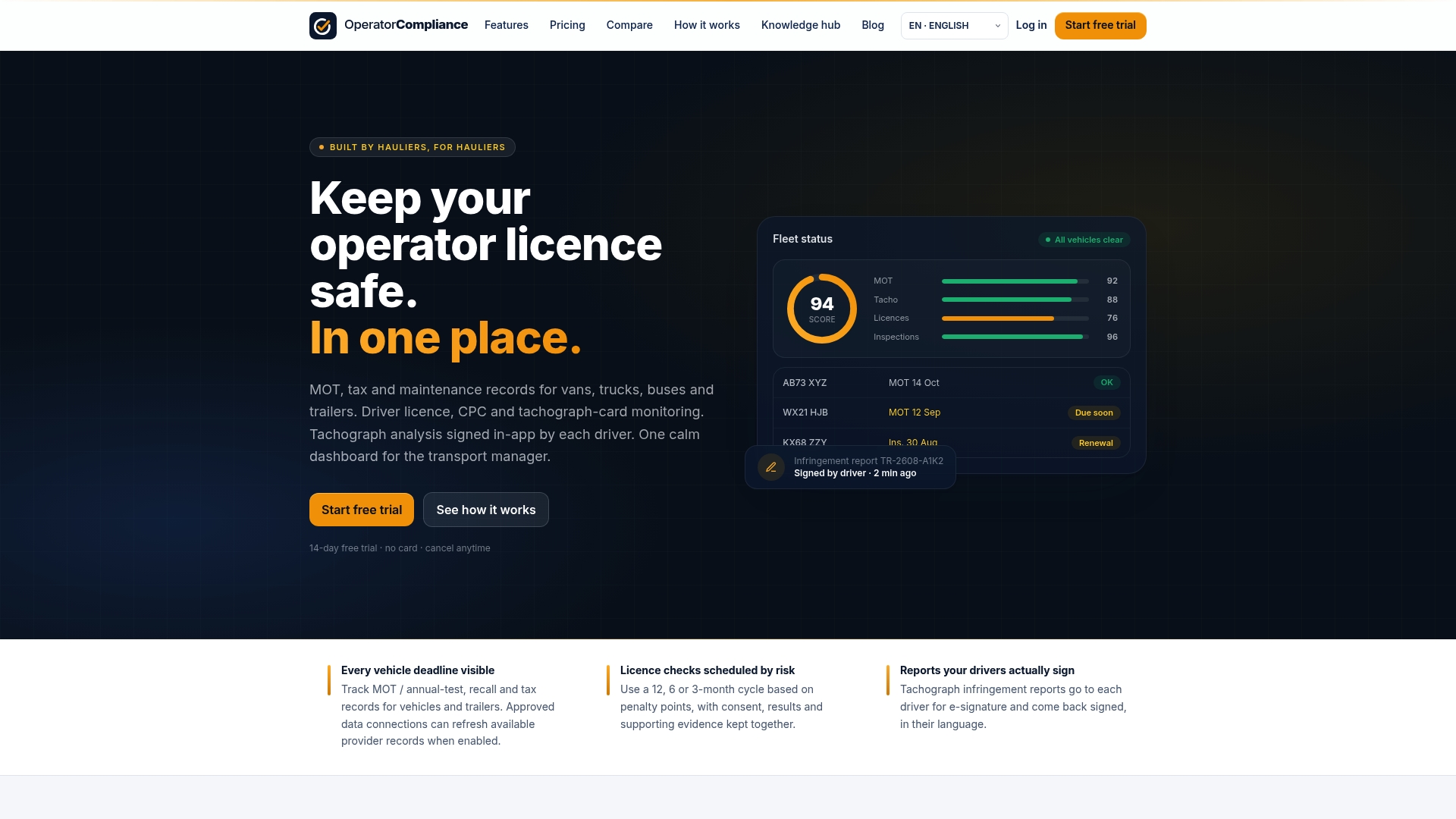
Features that map directly onto the routine in this article include:
- Automated deadline alerts before a driver’s 35 hour cycle runs short.
- Centralised tracking of Driver CPC alongside licence checks and tachograph data.
- Bilingual driver apps for evidence capture and signed infringement reports.
- Exportable audit packs built from records already stored in the platform.
Operators can review plans, including the Starter plan at £9 per month, on the pricing page, or see how the platform fits transport manager workflows on the transport manager page.
Sources
For official rules, consult GOV.UK’s guidance on recording Driver CPC training and training centre approval requirements. RTITB’s commentary on automated auditing covers where the sector is heading on real-time record checks.
FAQ
What is a CPC licence in the UK?
There is no separate CPC licence; the Driver Certificate of Professional Competence is a qualification that sits alongside a driver’s regular licence entitlement for lorries, buses and coaches. Drivers prove it with the Driver Qualification Card, issued once their 35 hours of periodic training are correctly recorded.
Is there a driver shortage in the UK?
The article does not have sourced figures on current driver shortage levels, so this is not covered here with a specific number. Operators concerned about retention often find that keeping training and qualifications visibly up to date reduces the friction that pushes drivers to move on.
Can you anonymously report someone to DVLA?
This falls outside Driver CPC monitoring and the sources used for this article do not cover DVLA’s reporting channels, so it is not answered here. Concerns about a specific driver’s licence status are better raised through your usual compliance or HR process first.
What are the WTD rules for drivers?
The Working Time Directive rules for drivers are a separate set of regulations from Driver CPC training and are not covered by the sources used in this article. They govern weekly working hours and rest rather than periodic training, so they sit alongside, not inside, the CPC monitoring routine described above.
How soon after training should I check ODE?
Wait the five working days that training providers are given to upload courses before checking the Driver CPC Online Driver Enquiry service. If the course still is not showing after that window, contact the training centre directly.
Recommended
- Features - vehicle, driver and tachograph compliance
- PSV operator compliance software
- Driver CPC explained: 35 hours and DQC
- Driver licence checks for operators
This article is general guidance for UK operators and transport managers, not legal or professional advice. Regulations change, so always confirm the current requirements with GOV.UK, DVSA and your traffic commissioner before acting.
driver cpc monitoring