· 14 min read
Tacho Remote Download Guide for UK Fleets
Set up tacho remote download for UK fleets. Compare vehicle-unit and driver-card collection, legal cadences, telemetry and audit trails.

A missed download usually doesn't start with a dramatic failure. It starts with a card that never gets collected, a vehicle that stays out overnight, or a back-office job that gets pushed to tomorrow because the depot is busy and the transport manager is chasing defects. Then the deadline passes, the file isn't there, and the operator is left trying to piece together evidence after the fact.
That's the value of tacho remote download. It's not just a way to move tachograph files from the vehicle to the office. It's an evidence-management process, where the legal clocks, trigger events, telemetry rules, and audit trail all need to work together.
Table of Contents
- Understanding Tacho Remote Download Operations
- Managing Driver Card and Vehicle Unit Clocks
- Comparing Remote and Local Download Options
- Planning the Remote Download Implementation
- Configuring Telemetry and Download Controls
- Building an Audit Trail That Stands Up
- Testing the Workflow and Maintaining Compliance
Understanding Tacho Remote Download Operations
A vehicle unit can sit past its download date, a driver card can be missed, and the first warning may come from a compliance check or an inspection. At that point, the problem is no longer the transfer itself. The gap is in the evidence chain.
Remote transfer is part of the compliance record
In practice, tacho remote download brings vehicle-unit and driver-card files into a back-office system without a depot visit. That is useful only if the operator treats it as a controlled workflow, not a background IT function. Each file needs to be collected, received, checked, reviewed, and retained in a way that can be shown later.
Remote download also has to sit inside the operator's legal timing rules. The relevant instrument moved the maximum interval for downloading vehicle-unit data from 56 days to 90 days, and the current guidance still treats 90 calendar days as the deadline for vehicle-unit data [legislation.gov.uk PDF]. That matters because remote systems are often presented as a convenience tool, while the value is tighter compliance control.
Before changing process, the operator needs clear ownership and a written schedule. Someone must be responsible for each vehicle and driver record, there needs to be an escalation path when a file does not arrive, and retention has to match the tachograph archive policy and the wider record-keeping setup. Without that, automation just produces a quicker version of a disorganised process.
Practical rule: if nobody can explain who checks missing files, when they check them, and what happens next, the download process is not controlled yet.
The vehicle unit and the driver card also need separate handling. Remote reading of the vehicle unit is a different task from reading the driver card, and the deadlines are not the same. That difference matters most on mixed-duty fleets, split sites, and vehicles that spend time away from base.
A useful operator-level summary of the timing rules is tachograph download rules and the 28 and 90 day clocks. The practical point is straightforward. Every download should sit inside a chain of evidence, not just a file transfer.
Managing Driver Card and Vehicle Unit Clocks
A fleet that misses one tachograph deadline often has a process problem, not a file problem. Driver cards and vehicle units drift on different schedules, they fail for different reasons, and they create different evidence gaps when a download is late. Treating them as one task usually leaves gaps in ownership and follow-up.
The two clocks need different controls
UK operators must download driver cards at least every 28 calendar days and vehicle units at least every 90 calendar days [GOV.UK guidance]. GOV.UK also says the vehicle unit typically holds 365 days' worth of average data before the oldest records are overwritten, so the 90-day rule is a legal deadline, not a storage target. Driver cards stay on the shorter cycle, so each stream needs its own alerting and its own owner.
The practical control is a compliance calendar with separate fields for each clock. Cards need earlier warning because they are easier to miss when drivers are away from base, off shift, or working irregular patterns. Vehicle units follow a longer cycle driven by asset-level triggers such as transfer of control or foreseeable data loss.
| Driver card vs vehicle unit download clocks | Source | Standard cadence | Earliest alert | Trigger events for immediate download |
|---|---|---|---|---|
| Driver card | UK operator record process | 28 calendar days | Around day 21 in a practical control schedule | Employment end, card return, card not available, card left in another vehicle |
| Vehicle unit | UK operator record process | 90 calendar days | Around day 70 in a practical control schedule | Transfer of control, removal from service, foreseeable data loss, change of registration or ownership |
The trigger events override the normal schedule. GOV.UK requires immediate downloads in several situations, including before transferring control of the vehicle, when a unit is removed from service, or when data loss is foreseeable [GOV.UK guidance]. In day-to-day fleet work, that means a vehicle going off lease, a calibration visit, or a suspected tamper event cannot wait for the next calendar reminder.
A fleet can have the vehicle-unit file in place and still fail on a missed card. If one driver card was not downloaded inside the 28-day window, the operator still has to account for activity gaps, infringements, or missing mileage. The vehicle-unit file does not fix a late card. Each record has to stand on its own.
Operational takeaway: configure two separate due-date fields in the compliance calendar, one for driver card and one for vehicle unit, then send every trigger event straight into the action queue that the transport manager reviews each day.
Comparing Remote and Local Download Options
There isn't one universal setup that works for every operator. A regional tipper fleet, a coach business, and a long-haul mixed fleet have different signal patterns, different return-to-base habits, and different tolerance for manual intervention. The right model depends on how the vehicles move.
Remote, local and hybrid workflows each suit different realities
Remote download uses vehicle telemetry, usually over GPRS or 4G, to push tachograph files to a hosted platform. That reduces depot dependency and protects the operator when a driver is away from base, on holiday, or working from a satellite site. It works best when vehicles spend time out on the road and the business wants predictable collection without chasing people for cards.
Local download still has a place. A workshop reader at base suits smaller fleets with regular depot turns, because it avoids the extra service layer and can be enough when the vehicles are tightly controlled. The trade-off is obvious, though. It depends on drivers returning to base on time, and that's exactly where manual processes tend to fall down.
Hybrid models often make the most sense. Many operators use remote collection for the vehicle unit while keeping a manual reader for driver cards at the depot. That gives coverage on the asset side without giving up the practical control of a local card-reading routine. It also helps where some drivers are mostly on planned routes but others are much less predictable.
The choice should be driven by exposure, not habit. If you've got multi-site operations, night work, weekend activity, or frequent blackspots, a remote-first model is usually easier to defend. If you've got a compact yard and disciplined daily turnarounds, a local process may still be enough for part of the workflow.
A peer fleet's setup can be wrong for your operation even if their compliance file looks tidy. Match the process to your routes, your staffing, and your connectivity reality.
The useful question isn't whether remote is “better” in the abstract. It's whether the current method creates avoidable gaps in the evidence record. If it does, remote download earns its place. If it doesn't, there may still be a role for a lighter setup.
Planning the Remote Download Implementation
A good rollout starts before any device goes live. The usual mistake is buying the platform first, then finding that vehicle hardware, telemetry coverage, contract terms, or internal roles are not ready. That creates delay and weakens confidence in the handover.

Scope and compatibility come first
Start by mapping every vehicle and driver in scope. Do not assume the whole fleet needs the same treatment. Some assets may already have compatible kit, while older units may need more checking before you commit.
Short-list providers on practical criteria, not sales language. Security, data residency, support terms, and contract transfer matter because remote downloading is part of the evidence record, and evidence handling needs stable ownership. If you cannot explain where the files sit, who can access them, and what happens if the contract ends, the process is too loose.
Vehicle identification matters more than many operators expect. Every unit should be checked by serial and firmware level before rollout, because incompatibilities are easier to solve before the contract is signed than after the first failed pull. The telemetry estate also needs the right SIM arrangements, stable connectivity, and validated secure transport, whether that means VPN or TLS configuration.
Pilot before you scale
The pilot should be small but representative. Mix depots, shift patterns, and signal conditions so the test covers the variation the live fleet will face. One depot with strong coverage can hide a weak rollout that only shows up when a vehicle spends the night in a rural yard or on a ferrying job.
Driver briefings need to be documented, not just delivered. Handover to the transport office should cover responsibilities, escalation routes, and what happens when a vehicle drops off the network. IT can install the kit, but the transport team needs a clear view of who owns exceptions once the system is live.
Remote download works best when the back office can treat files, reminders, and exceptions as one workflow. A platform such as OperatorCompliance, which includes tachograph file intake and date-driven reminders as part of broader operator-licence control, can fit that approach if the implementation still names a person behind every alert and exception.
Go live in stages. Keep manual methods in place at first, run a fallback procedure for vehicles that miss a connection, confirm support contacts, and keep the first few weeks tight enough for quick correction.
Configuring Telemetry and Download Controls
Telemetry turns the legal clocks into operational actions, but only if the rules are set properly. A vehicle can stay connected and still miss compliance if nobody has defined ownership, alert routes, or the steps to take when a file does not transfer cleanly. Effective telemetry configuration requires the system to reflect the operator's workflow, with ownership and alert routes defined before automation is enabled.
Set ownership before you set automation
Assign each vehicle unit and driver card to a named owner in the back office. That can be the transport manager, a compliance officer, or a trained deputy, but it should never sit with a generic team inbox. Named ownership makes follow-up possible when an exception appears.
Then set the cadence around the legal windows. Calendar-based pulls should sit alongside immediate trigger-event downloads, because routine collection alone will not catch every risk. Trigger events might include ignition on, return to base, card inserted, or geofence entry, depending on how the hardware and workflow are configured.
The exception layer matters just as much as the schedule. Low signal, power interruption, unreadable card, and unauthorised tampering all need alert routes to the people who can act on them. Some alerts need same-day handling, while others can sit in a weekly exception queue if the operator has already confirmed the file will be retried and logged.
Validate the file the moment it lands
The download is not complete when the file arrives. It is complete when the back office has confirmed the timestamp, the unit serial number, and the driver identifier, then logged the file as evidential. That gives the operator a clear line from receipt to review without guesswork.
The system logic should also fit the immediate-download rules set out in GOV.UK guidance, especially where control of the vehicle changes or a unit is at risk of data loss. Remote systems work best when the back office treats alerts as actions, not just notifications.
| Download trigger and alert configuration matrix | Trigger Event | Action | Alert Route |
|---|---|---|---|
| Calendar due date | Routine 28-day or 90-day pull | Auto-download and log receipt | Transport manager and deputy |
| Ignition or return to base | Trigger a file collection attempt | Confirm successful receipt | Back office queue |
| Card inserted | Check driver-card availability and read status | Retry if required, then record outcome | Compliance analyst |
| Geofence entry | Use location-based collection logic | Prioritise collection when the vehicle is in range | Operations and compliance inbox |
For a practical process map of how a download service usually behaves, the how it works overview is a useful operational reference. The aim is to keep the telemetry layer and the evidence layer aligned, so no file sits in limbo between vehicle and archive.
Building an Audit Trail That Stands Up
An inspection-ready file set is more than a folder of downloads. It is a chain of custody, a review record, and a retention system in one. Many operators have the files but not the proof that they were handled correctly.
Treat every file as part of a chain
Receipt should be verified first, then logged. A checksum or signature check shows the file arrived intact, and access logs show who opened it, when they reviewed it, and what they decided. That evidence matters when a file is queried weeks or months later.
Exception handling needs the same discipline. Missing blocks, overlapping activities, and card-not-present patterns should move into an analyst queue with a clear resolution path. If a transport office reviews exceptions without recording the outcome, gaps remain even when the raw files are intact.
Infringement management needs to sit in the same chain. Reports should be generated, signed by the driver where that is the operator's agreed process, and stored with the source data. The record then shows the breach and the follow-up.
Retention has to match the evidence purpose
Retention is not only about keeping files long enough. It also has to support the operator's own process and the periods the regulator may ask about. The tachograph archive, signed infringement summaries, and related notes should sit in one controlled record set, not in separate inboxes and desktop folders.
The legal and privacy side matters too. A published data-protection framework covering access controls, export procedures, and deletion handling should be referenceable during an audit. That gives the operator a clear account of how personal data is protected as records age out, and it keeps the audit trail easier to defend.
Cross-referencing helps close the loop. Telemetry, job sheets, and customer records can show why a vehicle moved, who was responsible, and whether the recorded activity makes operational sense. That does not replace tachograph evidence, but it gives the review team context.
An audit trail fails when it only proves a file exists. It stands up when it shows the path from collection to decision.
Testing the Workflow and Maintaining Compliance
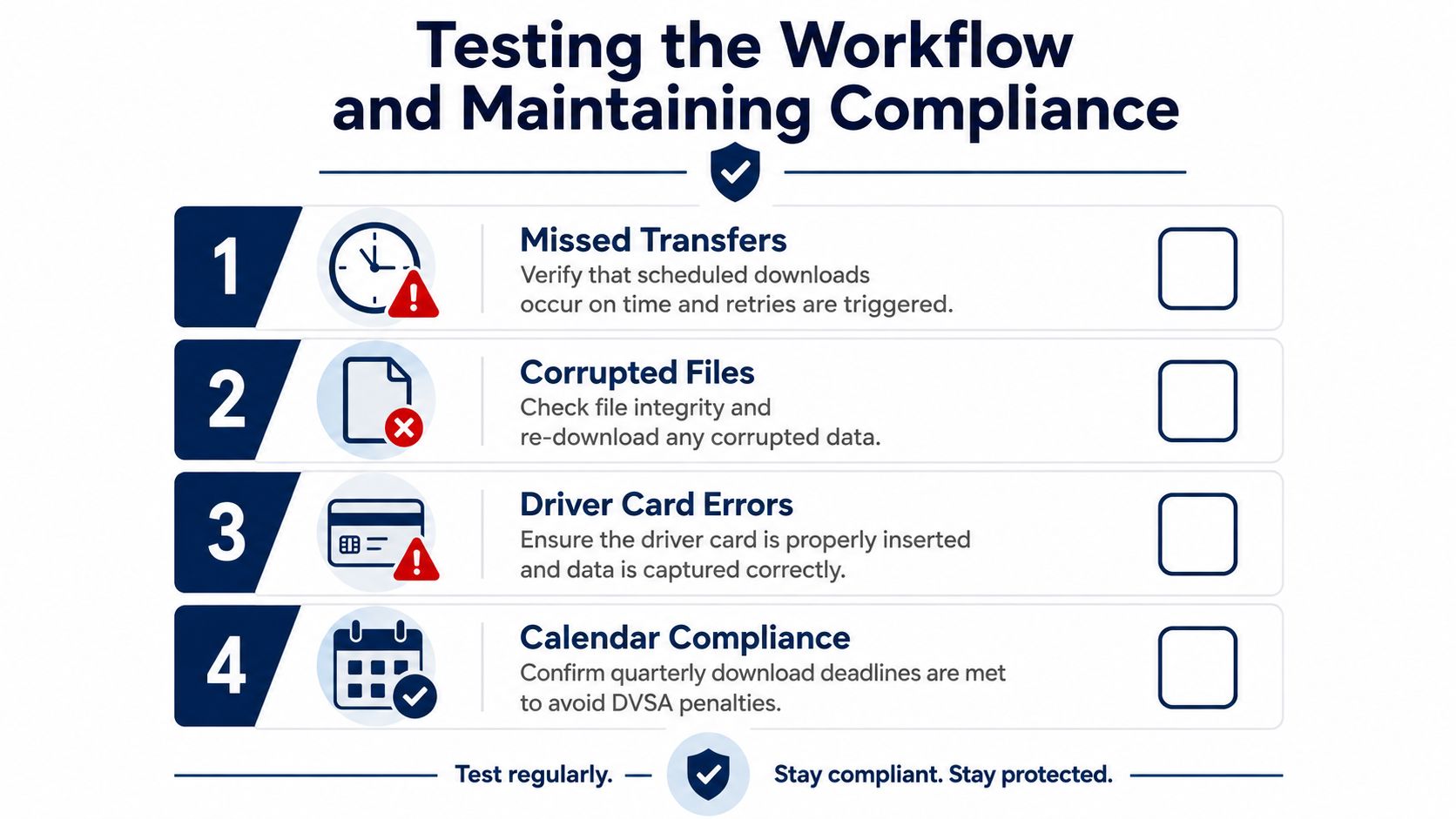
A remote setup can still fail in the ways inspectors notice. Missed scheduled transfers, corrupted files, cards left in another cab, missing signatures, and overdue archives all show up when the process hasn't been pressure-tested. The system should be tested against those failures before anyone calls it stable.
Test the exceptions, not just the happy path
A useful pre-audit drill starts with telemetry reachability. Confirm that the vehicle can be seen, that a manual remote pull works, and that the system logs an exception when it doesn't. Then review the exception queue and compare infringement outputs against the source files so nothing has been lost in translation.
File integrity checks matter just as much. If a file is corrupted, the operator needs a clear re-download route and a record of what happened in the first attempt. The same is true for card-related errors. If the card wasn't read properly, the transport office should know whether that was a hardware problem, a driver issue, or a process gap.
The compliance calendar should be tested against the legal deadline discipline already described. Cards and vehicle units need separate monitoring, and any one missed deadline can create a weak spot in the evidence file. That's especially true where a vehicle has been moved, sold, or taken off the road.
A straightforward adoption checklist helps keep the rollout grounded:
- Scope sign-off: confirm which vehicles and drivers are included.
- Provider selection: check support terms, security, and data handling.
- Vehicle kit: verify compatibility, serials, and connectivity.
- Permissions: define who can view, review, and close exceptions.
- Cadence settings: lock the 28-day and 90-day controls.
- Analyst workflow: document review and escalation steps.
- Retention policy: align archive periods with operator practice.
- Quarterly review: recheck the process after live use.
The best immediate next step is a parallel run. Keep the manual collection process running for a short overlap while the remote workflow proves it can collect complete files on time, without gaps, and with a usable audit trail. Once that's proven, decommissioning the manual method becomes a controlled decision instead of a leap of faith.
OperatorCompliance helps UK fleets keep tachograph evidence, reminders, and infringement follow-up in one place, alongside the wider operator-licence record. If you're moving from manual collections to tacho remote download, visit OperatorCompliance to see how its download calendars, analyst review, and signed evidence storage fit into that workflow.
tacho remote downloadremote tachographtachograph compliancedriver card downloadsvehicle unit downloads